-
as i life away from that laptop I setup a remote debugging setup:
-
the plan:
- Asus Tinkerboard 2: emulate a usb keyboard and usb stick to boot from using it’s gadget capable USB type C port/controller. and a simple usb camera to see the monitor
- Minestorms EV3 with one motor and a few lego pieces: mechanically press the power button (as that cant be done from a usb keyboard)
log
-
i found out https://ev3dev.org exists.
- a (VERY OLD) Debian Linux you can flash onto a sd card, plug into the Minestorms EV3 and have a normal linux on it.
-
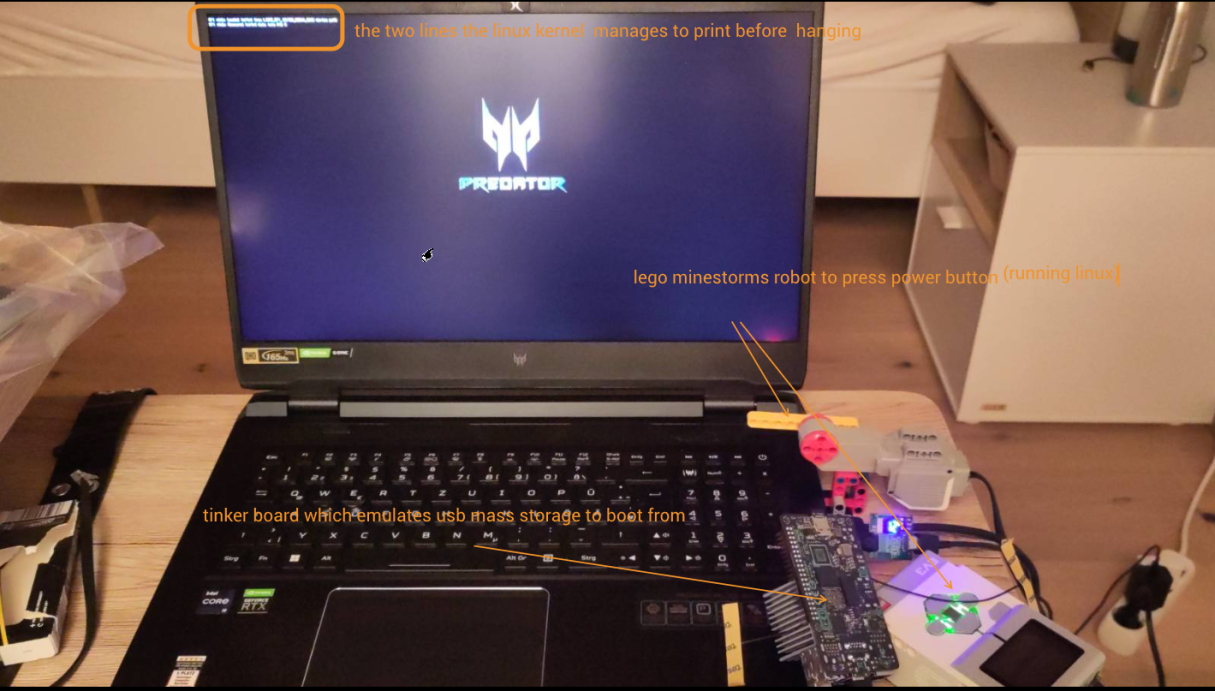
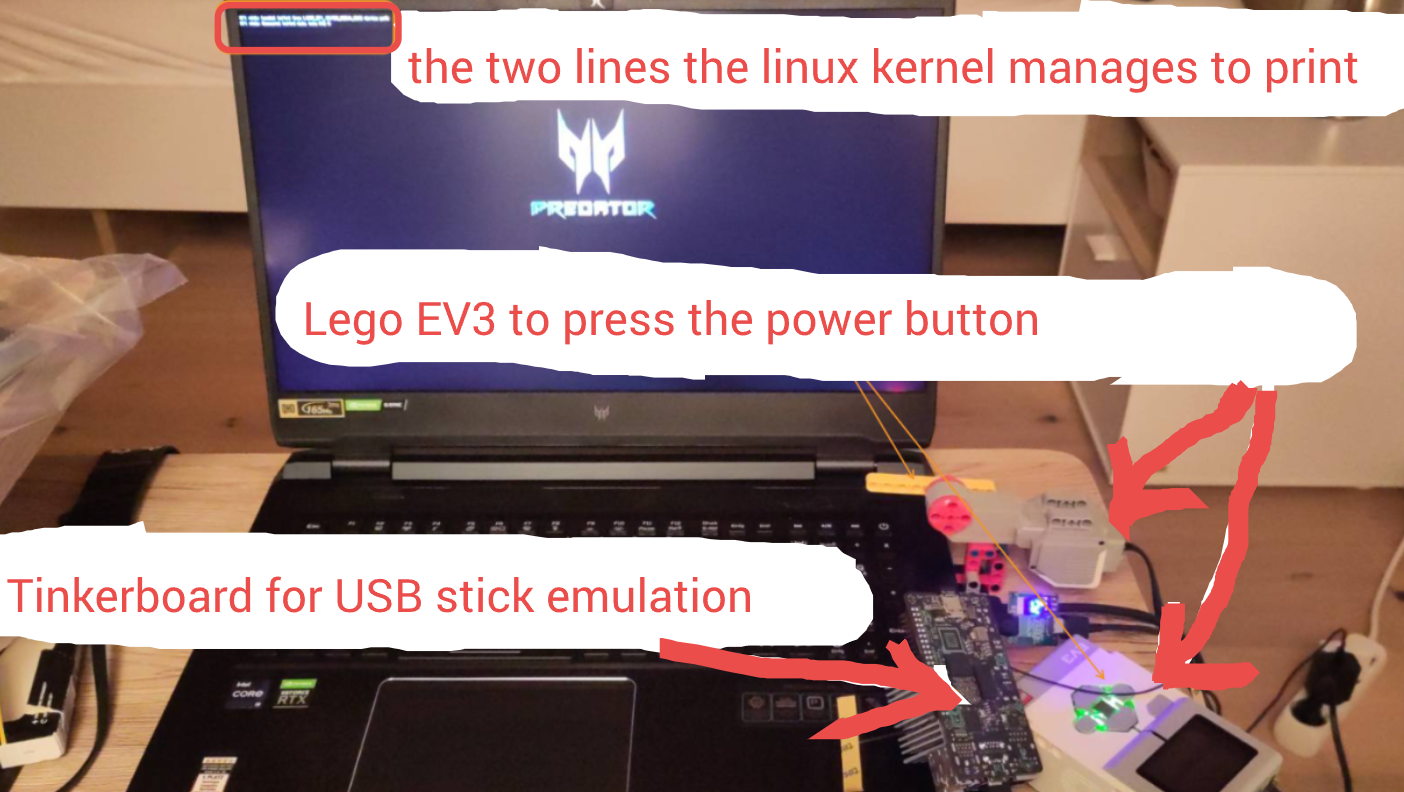
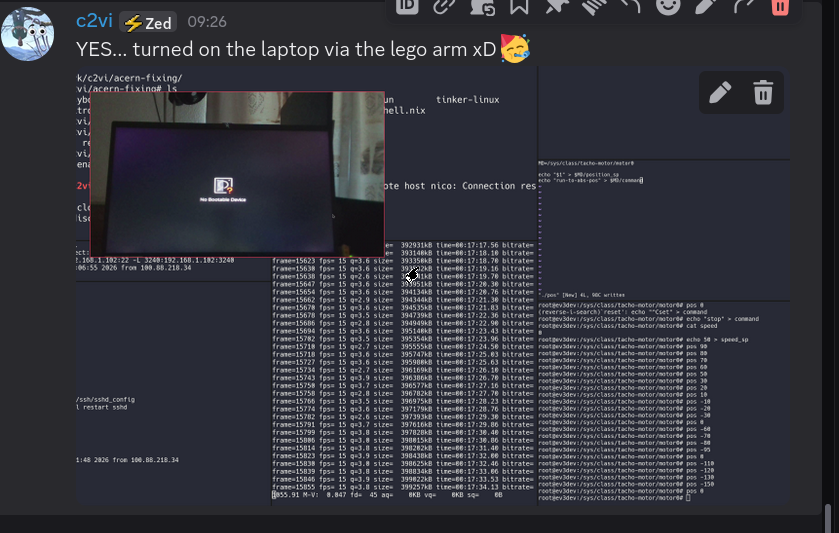
pic of the setup: Pasted image 20260710215442.png … edited: Pasted image 20260712142938.png
-
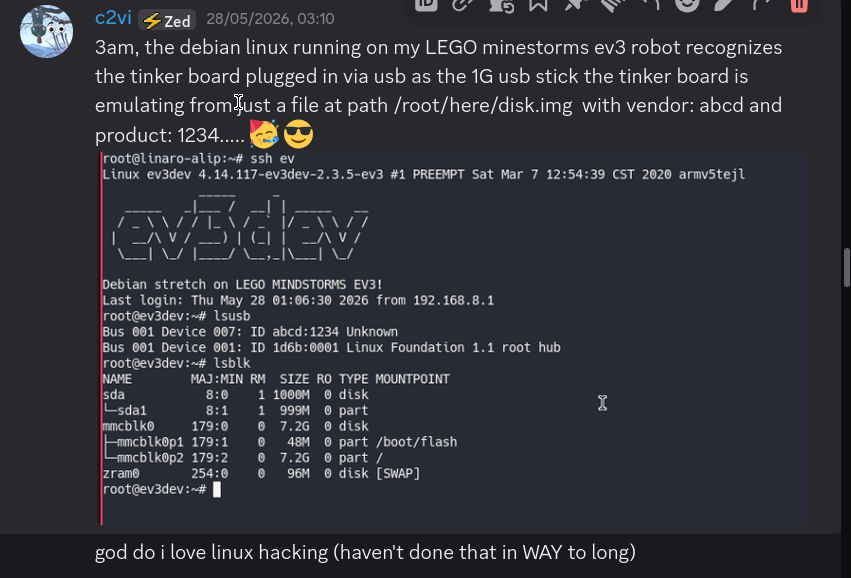
discord messages: Pasted image 20260710215338.png … Pasted image 20260710215429.png
-
all camera apps i tried running through
ssh -Ysegfaulted… xD Pasted image 20260710222732.png
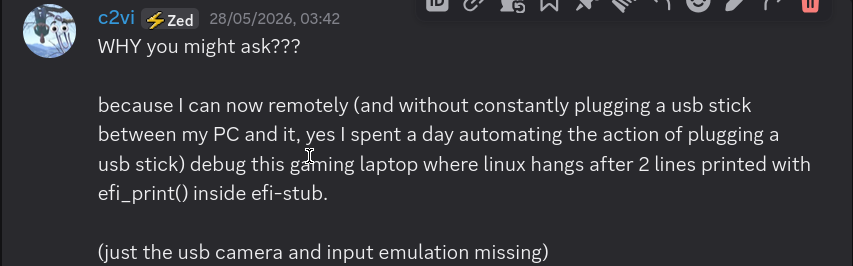
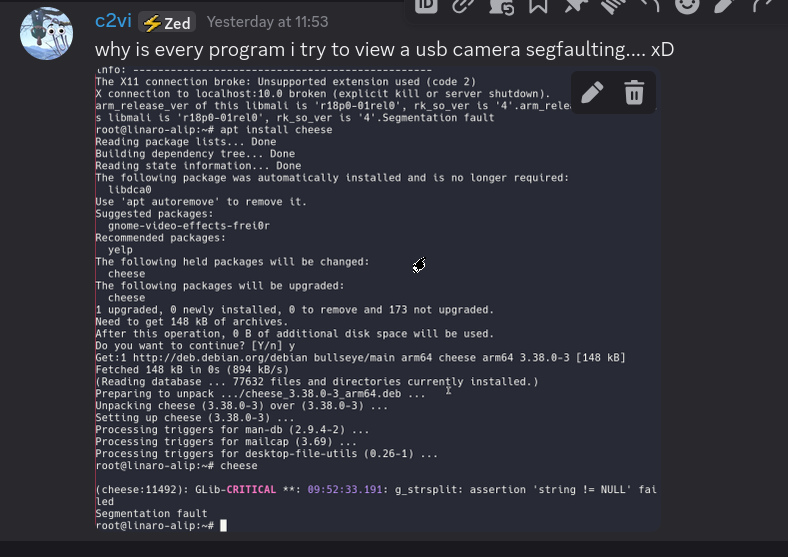


usbip detour
i wanted to usbip forward the usb camera to my local machine. (in heinseit stupid idea as it would work so terribly cause of bandwith limitations) the tinker os does not have usbip-core and usbip-host kernel modules :facepalm:
found my kernel source: https://github.com/TinkerBoard-Linux/rockchip-linux-kernel/commit/b8521caa5c7d78fb0e959c4260e6bbef09d8feac
actually managed to build two .ko files that worked… using this default.nix inside that source
let
pkgs = import <nixpkgs> { crossSystem = "aarch64-linux"; };
out = pkgs.linuxKernel.kernels.linux_5_10.overrideAttrs (prev: {
	src = ./src;
	modDirVersion = "5.10.209";
  configurePhase = ''
	make ARCH=arm64 defconfig
  '';

  buildPhase = ''
    make ARCH=arm64 M=drivers/usb/usbip modules
  '';

  installPhase = ''
    mkdir -p $out/
    cp drivers/usb/usbip/*.ko $out/
  '';
});

in out
(nixpkgs/917fec990948658ef1ccd07cef2a1ef060786846) (or smth like that. cant fully remember)
when opening the usb camera locally: Pasted image 20260710222355.png :dang: (Pasted image 20260710222425.png)
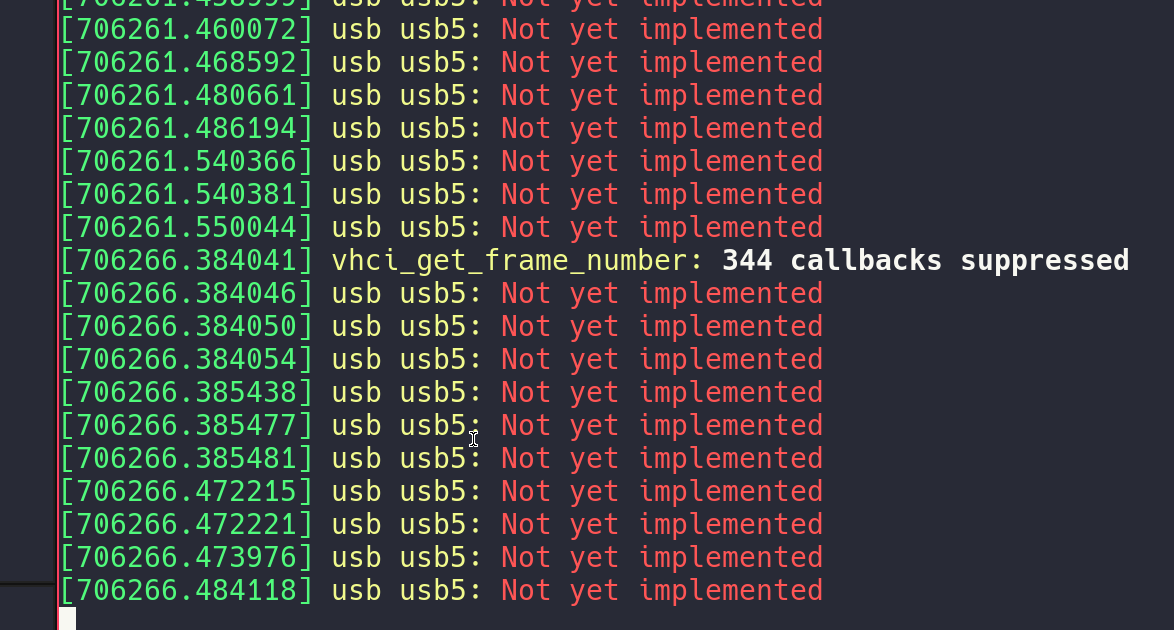
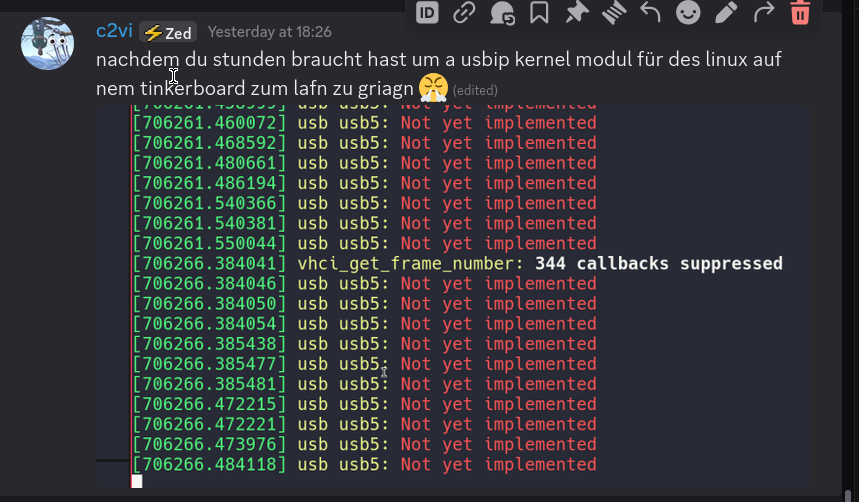
actually getting the cam to work
- Pasted image 20260709183726.png finally got a picture
- with
v4l2-ctl -d /dev/video5 --stream-mmap --stream-count=1 --stream-to=output.jpg
- with

Google Search Ai was with three prompts able to give me
ssh root@localhost -p 2222 "ffmpeg -f v4l2 -input_format mjpeg -video_size 1280x720 -i /dev/video5 -c:v mpeg2video -b:v 3M -f mpegts pipe:1" | ffplay -fflags nobuffer -flags low_delay -i pipe:0and that just works!!!!
v4l2-ctl --list-devices to find out which /dev/video
controlling the ev motor
back to story
-
first time turning the laptop on: Pasted image 20260710223444.png
-
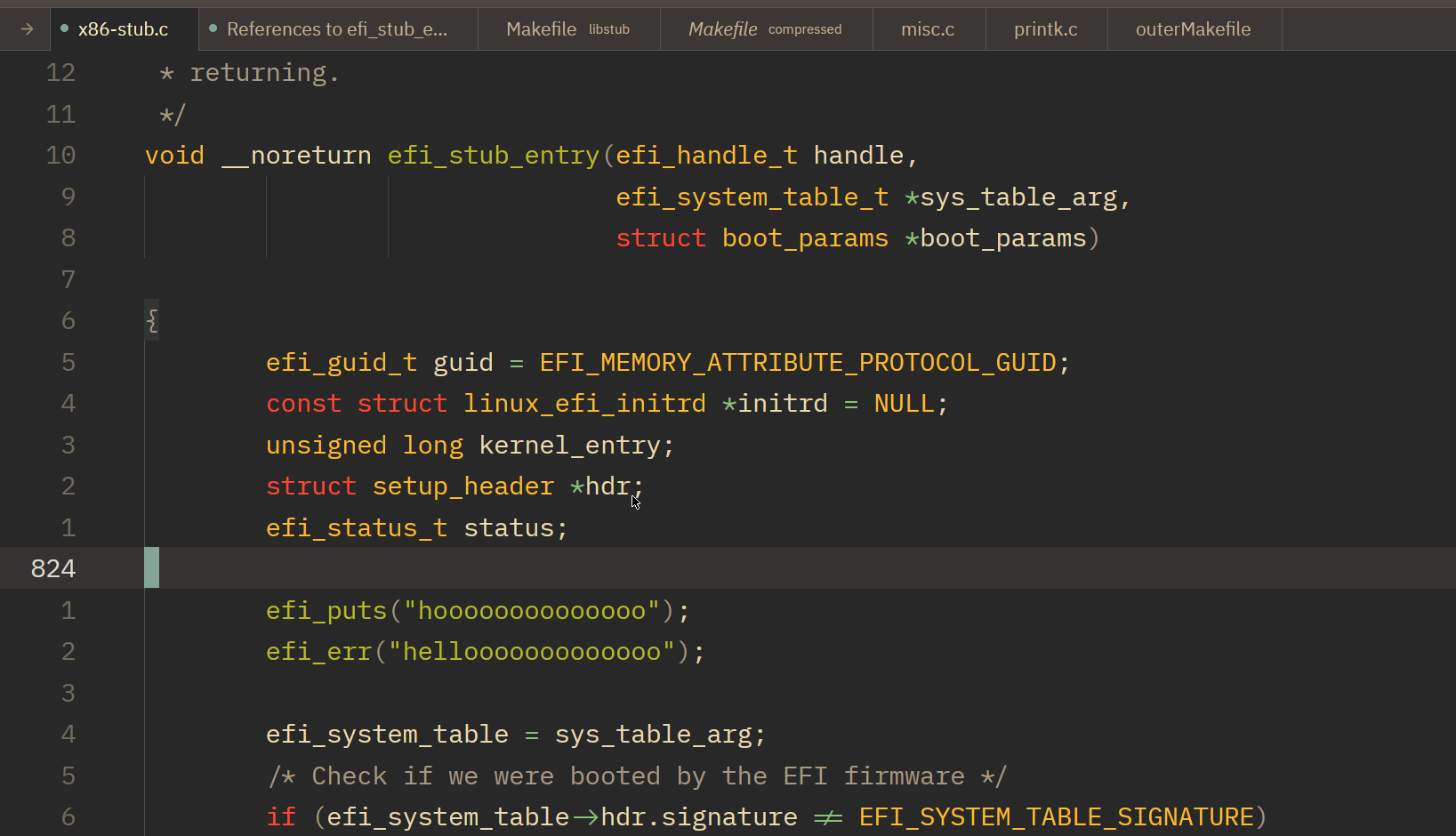
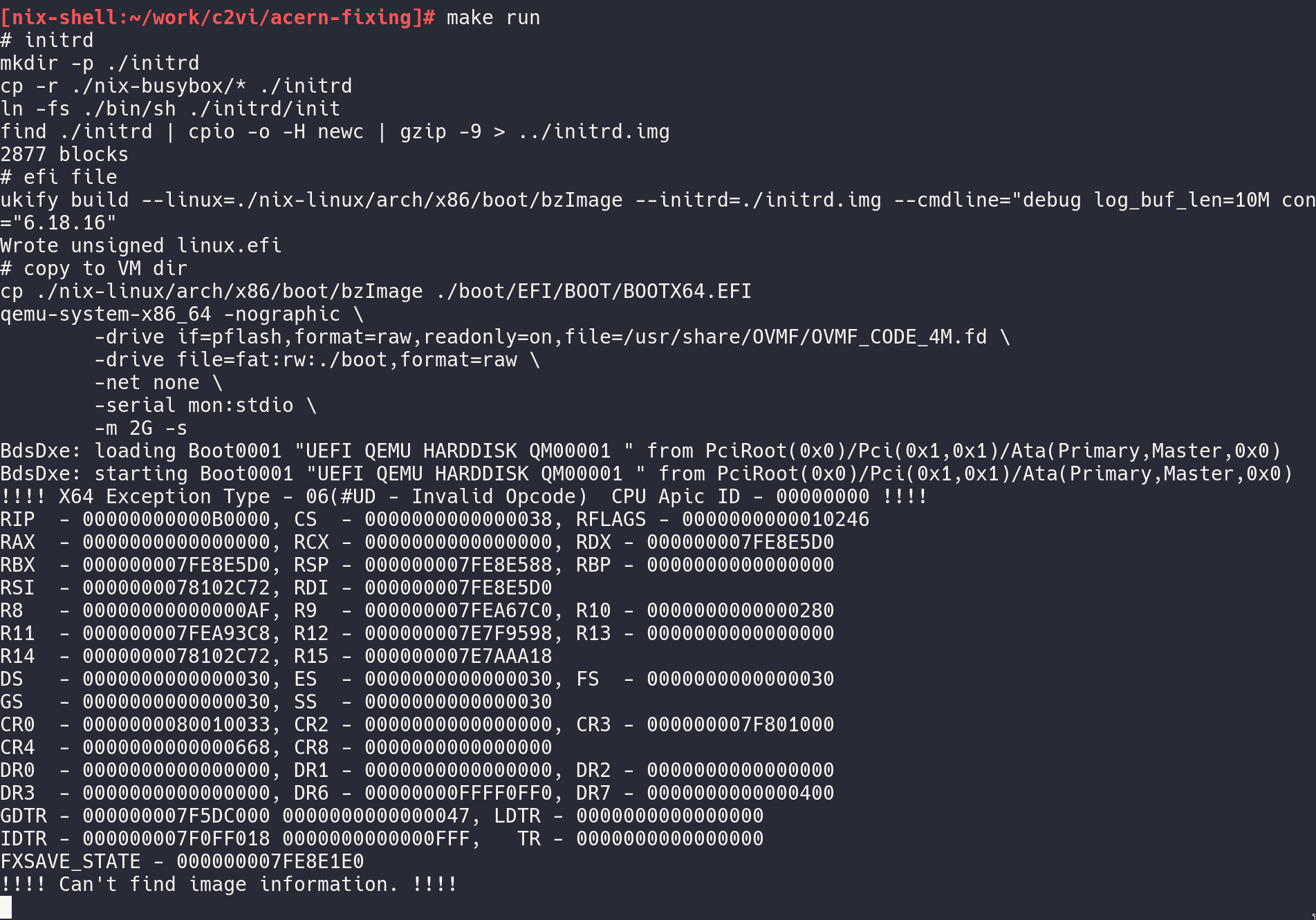
the first debug messages i wanted to add (Pasted image 20260710224336.png, drivers/firmware/efi/libstub/x86-stub.c) resulted in an Illegal Instruction (Pasted image 20260710224508.png) … WTF???
- so onto debugging that with lldb which turned out to be quite a challenge… see: debugging the efi stub of the linux kernel
-
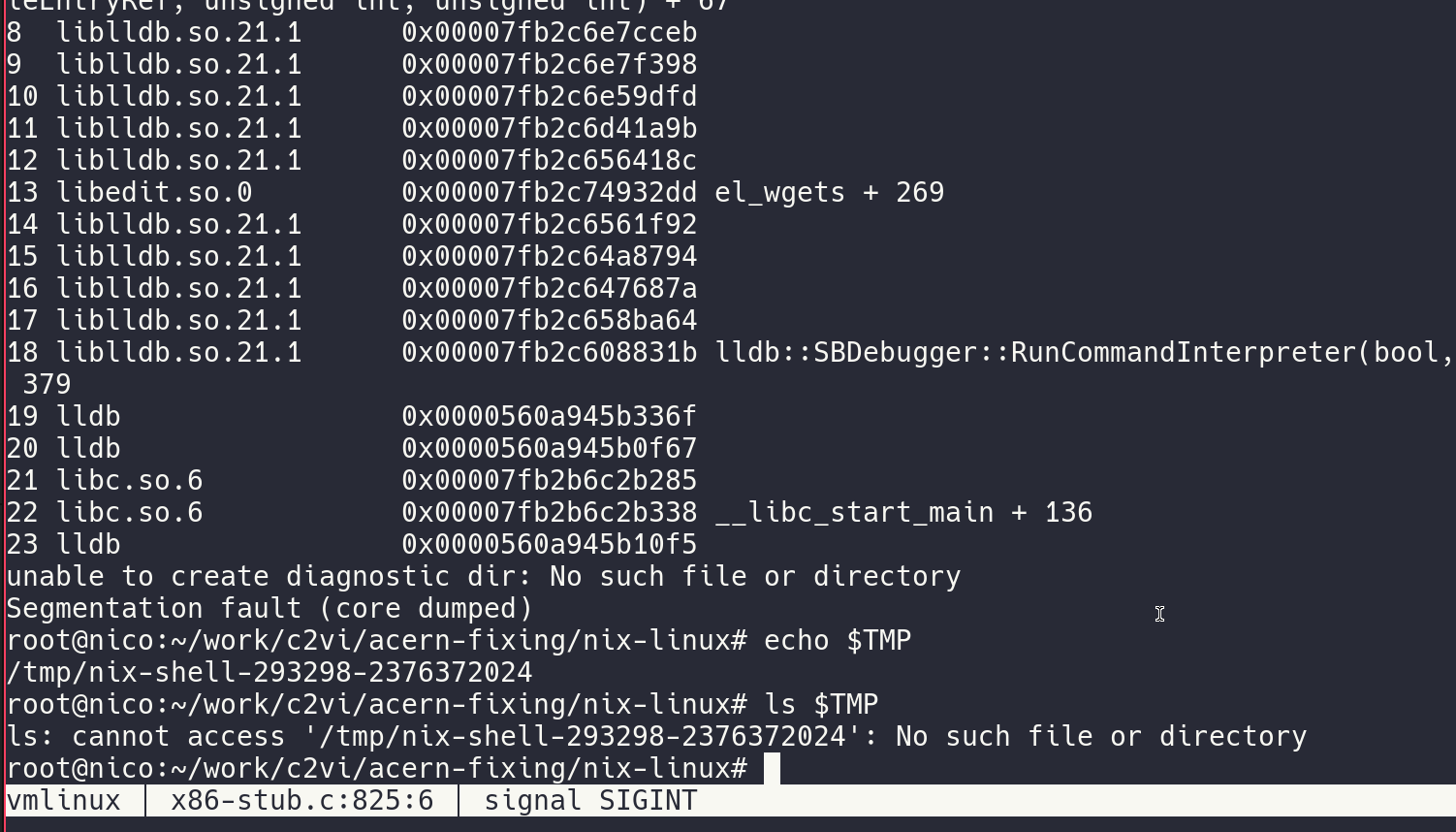
lldb crashed because $TMP does not exist if you do direnv of a nix-shell … Pasted image 20260711100233.png
-
that Illegal Instruction: we were jmp to 0x00000 because the efi_system_table was NULL
- no wonder… i should have put me efi_puts() after this line… xD
efi_system_table = sys_table_arg;
efi hello world
(using edk2)
-
used their devcontainer.json (the build tooling is toooooo all over the place, to manage to get smth up with a simple nix shell… in a resonable time)
- so cloned https://github.com/tianocore/edk2 and opened it in the devcontainer
-
./Conf/target.txt
ACTIVE_PLATFORM       = EmulatorPkg/EmulatorPkg.dsc
TARGET                = DEBUG
TARGET_ARCH           = X64
TOOL_CHAIN_CONF       = Conf/tools_def.txt
TOOL_CHAIN_TAG        = GCC
BUILD_RULE_CONF = Conf/build_rule.txt
-
make -C BaseTools -
source edksetup.sh -
build -m MdeModulePkg/Application/HelloWorld/HelloWorld.inf -
and I will just edit: ./MdeModulePkg/Application/HelloWorld/HelloWorld.c
- error galore, when I tried to use an external EfiApp.inf file…
intellisence
- the build system has support to generate a compile_commands.json … https://github.com/tianocore/edk2/blob/927c7b1d819fed9fa718a793f5da3b376dd6eacc/BaseTools/Source/Python/build/BuildReport.py#L2298
- so we use:
build -m MdeModulePkg/Application/HelloWorld/HelloWorld.inf -Y COMPILE_INFO- our compile_commands then at smth like:
/workspaces/edk-app/edk2/Build/EmulatorX64/DEBUG_GCC/CompileInfo/compile_commands.json - for zed we do like: ^88e86b … with the right path
- our compile_commands then at smth like:
- NICE!!
lldb for the efi shell
(lldb) target create edk2/Build/Shell/DEBUG_GCC/X64/ShellPkg/Application/Shell/Shell/DEBUG/Shell.dll -s edk2/Build/Shell/DEBUG_GCC/X64/ShellPkg/Application/Shell/Shell/DEBUG/Shell.debug- the Shell.dll is actually an elf file
modifying the efi shell to add telnet
-
the older v1.0 efi shell had a telnet server aparently … https://github.com/tianocore/edk-Shell/blob/master/TelnetMgmt/TelnetMgmt.c#L230
-
some efi shell doc: UEFI_Shell_2_2.pdf
-
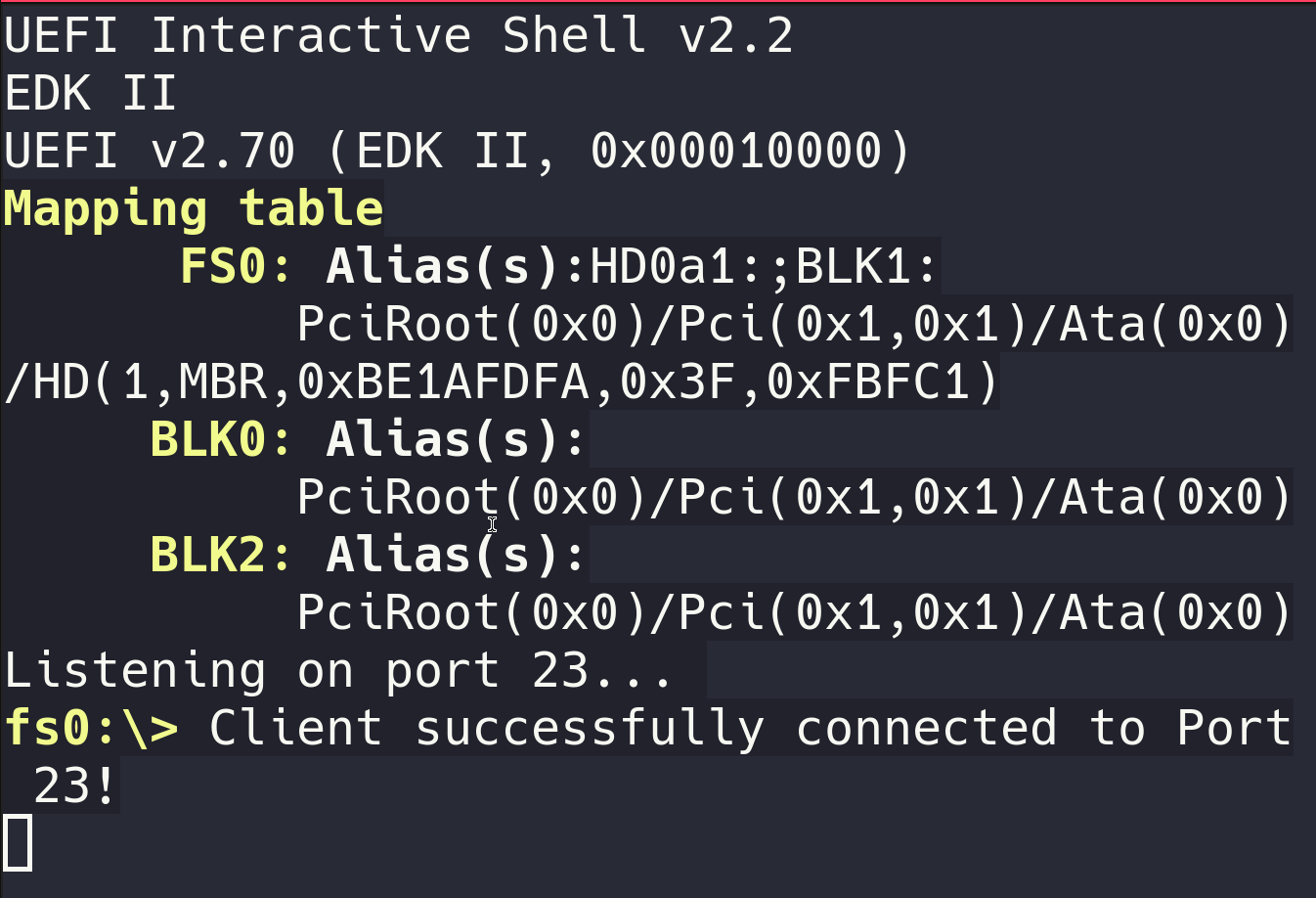
yay, tcp connect: Pasted image 20260711221247.png